

Choose a template
Pick a ready-made form template from our library to get started instantly. Whether it’s a contact form, registration, or order form, you’ll have a solid foundation in seconds.Drag, drop, and you're done.
An online training feedback form template helps organizations gather valuable insights from participants after virtual courses, webinars, or e-learning sessions. With IvyForms, you can create a seamless digital form to collect detailed feedback and improve future online training programs.
Get Template

Pick a ready-made form template from our library to get started instantly. Whether it’s a contact form, registration, or order form, you’ll have a solid foundation in seconds.Drag, drop, and you're done.

Edit your form visually — add, remove, or rearrange fields, adjust layouts, and configure logic. No coding required, just drag, drop, and you’re done.Drag, drop, and you're done.

Publish your form anywhere on your site in minutes. Our templates work seamlessly with WordPress themes and page builders, so collecting submissions is effortless.Drag, drop, and you're done.
This template typically includes fields for participant name, email, training session title, trainer effectiveness, content clarity, engagement level, technical experience, and overall satisfaction. You can also include sections for suggestions, challenges faced, and key takeaways.
Using an online training feedback form allows HR and learning teams to measure the impact of remote learning, identify areas for improvement, and optimize content for better learning outcomes. IvyForms enables easy submission, automated tracking, and reporting to make feedback actionable.
Perfect for virtual workshops, webinars, and remote onboarding, this template ensures every online training session is evaluated effectively and continuously improved.
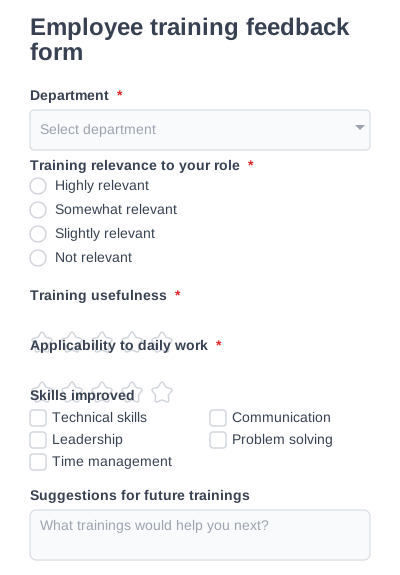
Collect internal feedback on employee training effectiveness and skill development.
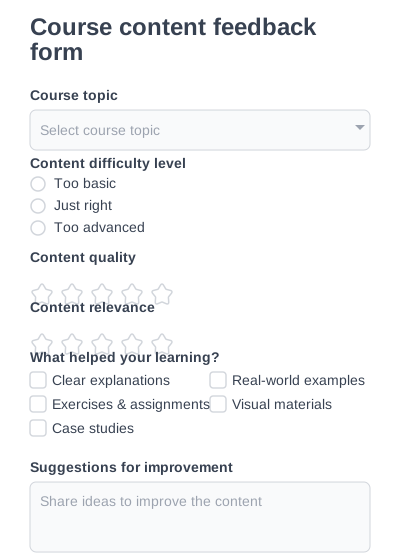
Evaluate course structure, content relevance, and learning outcomes.
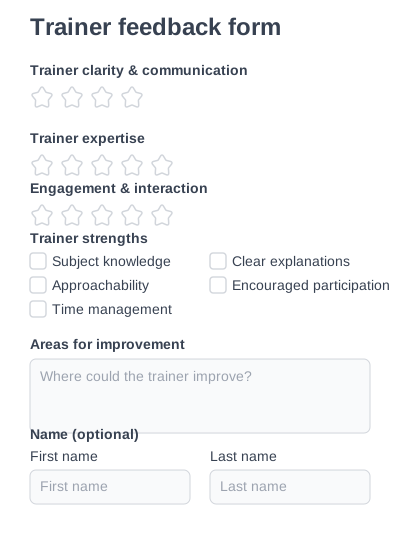
Collect focused feedback on trainer knowledge, communication, and teaching.
Try IvyForms Lite or go Pro. Either way, you’ll love how effortless it feels.