



Choose a template
Pick a ready-made form template from our library to get started instantly. Whether it’s a contact form, registration, or order form, you’ll have a solid foundation in seconds.Drag, drop, and you're done.
A technical role interview feedback form template helps hiring teams evaluate candidates for engineering, development, and other technical positions in a structured way. Collect consistent interviewer feedback and keep candidate evaluations organized throughout the hiring process.
Get Template

Pick a ready-made form template from our library to get started instantly. Whether it’s a contact form, registration, or order form, you’ll have a solid foundation in seconds.Drag, drop, and you're done.

Edit your form visually — add, remove, or rearrange fields, adjust layouts, and configure logic. No coding required, just drag, drop, and you’re done.Drag, drop, and you're done.

Publish your form anywhere on your site in minutes. Our templates work seamlessly with WordPress themes and page builders, so collecting submissions is effortless.Drag, drop, and you're done.
This template typically includes fields for candidate name, position applied for, interviewer details, technical skill assessment, problem-solving ability, coding or technical test results, and communication skills. You can also include rating scales, notes on strengths and areas for improvement, and a final hiring recommendation.
Using a technical role interview feedback form helps standardize candidate evaluations, improve collaboration between interviewers, and support more objective hiring decisions. IvyForms allows you to customize scoring criteria, collect submissions securely, and store feedback for easy comparison between candidates.
Whether you’re hiring developers, engineers, or IT specialists, this template helps streamline the evaluation process and ensures your hiring team captures the insights needed to make confident decisions.
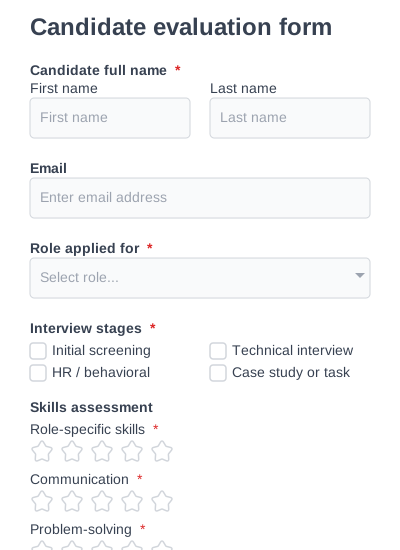
A detailed candidate evaluation form for assessing candidates across multiple criteria.
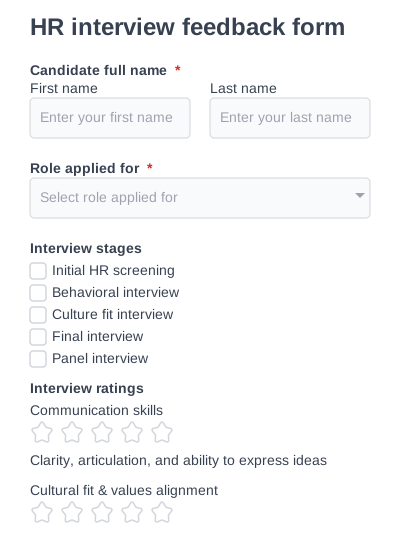
A behavioral interview feedback form focused on soft skills, communication, and motivation.
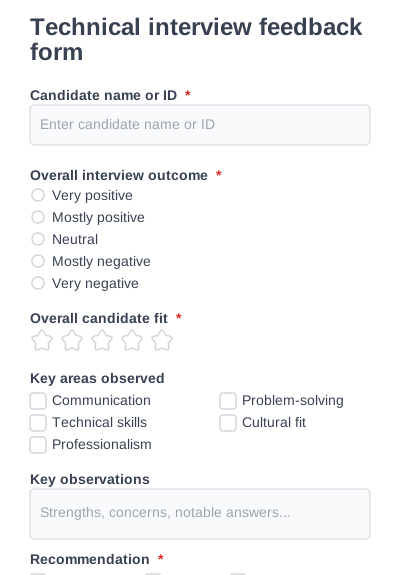
A universal interview feedback form designed to capture structured interviewer insights.
Try IvyForms Lite or go Pro. Either way, you’ll love how effortless it feels.