



You built the form. You set up the notifications. You check the entries every week. And every time something needs to change, like a new field, a different email address,…
Table of contents
Forms are often the first point of contact between your website and a potential customer. Email marketing is what turns that contact into an ongoing relationship. When those two are disconnected, things break down fast: manual exports, outdated lists, missed follow-ups.
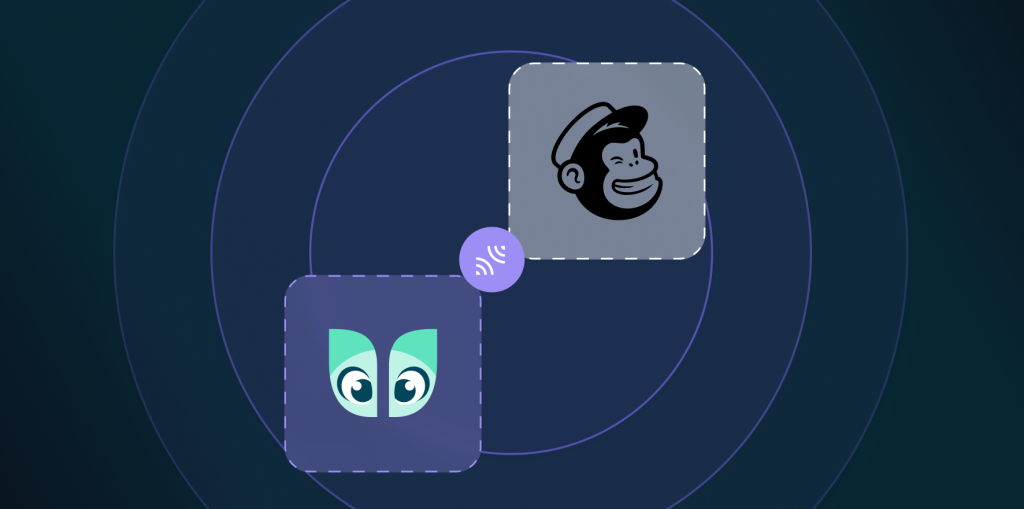
Using Ivy Forms with Mailchimp keeps everything in one flow. Every form submission goes straight into your email audience, ready for campaigns, automations, or segmentation. No copying data, no CSV files, no delays.
Let’s see how Ivy Forms and Mailchimp work together to turn form submissions into email subscribers!
What the Ivy Forms + Mailchimp Integration Actually Does?
The integration connects your forms directly to Mailchimp, so every submission can be added as a contact automatically. There are no exporting files, no copying emails, and no manual cleanup after the fact.
Once connected, you choose which Mailchimp audience the form should send data to. From there, each form field, such as email, name, or custom field, is mapped to the corresponding field inside that audience. This keeps contact data structured and usable for segmentation and campaigns.
New contacts are synced in real time. As soon as someone submits a form, they appear in Mailchimp and can immediately enter automations, receive a welcome email, or be tagged for future campaigns.
Why You’d Want This Setup?
This setup is about removing friction from how you collect and use leads. You’ll see the benefits quickly once the integration is live.
Automatic list building
Every form submission is added to your email list automatically. There are no spreadsheets, no exports, and no manual imports to keep up with.
Clean, structured data
Because form fields are mapped correctly, contact arrive with usable data. Names, emails, and custom fields land where they should, which makes segmentation easier and more reliable.
Real-time syncing
New signups appear in Mailchimp immediately. There is no delay between someone filling out a form and becoming an active contact.
Better email marketing overall
More contacts is only part of the value. With clean data and instant syncing, you can run more relevant campaigns and build automations that actually reflect user intent.
Once contacts are in Mailchimp, you can use tags and segments to target specific groups and trigger automated campaigns like welcome emails or onboarding flows. This is where submissions start turning into long-term engagement instead of just stored data.
How Teams Use Ivy Forms with Mailchimp
The Ivy Forms and Mailchimp integration is flexible enough to fit most situations where a form is used to start a conversation and email is used to continue it. Here’s how you can use this integration to its full potential:
Newsletter signup forms
Newsletters are the most obvious use case, but also one of the easiest to get wrong without automation. With this setup, every signup is added directly to your chosen audience, making sure your list is always up to date. New subscribers can immediately receive a welcome email or be added to an ongoing newsletter without any manual handling.
Lead capture for service businesses
For service-based businesses, contact and inquiry forms often generate valuable leads that need timely follow-up. Instead of relying on inbox notifications, form submissions can be sent to Mailchimp and placed into a follow-up sequence. This allows you to educate leads, share next steps, or send reminders automatically while still responding personally when needed.
Event registration and waitlists
Event and webinar forms benefit from real-time syncing. As soon as someone registers or joins a waitlist, they appear in Mailchimp and can receive confirmation emails, reminders, or updates if details change. This keeps communication consistent and avoids last-minute manual emails.
E-book and resource download forms
When someone fills out a form to download a guide, checklist, or other resource, they can be added to a specific segment or tagged based on that interest. This makes it easier to send the download link, follow up with related content, and build campaigns around what the subscriber actually cares about.
How to Get More Value From This Integration?
A solid integration is only part of the equation. Small setup decisions can make a noticeable difference in how well your forms and email campaigns perform.
Start by keeping forms short. Ask only for the information you actually need, usually an email address and a name. Fewer fields reduce friction and increase the chance that visitors will complete the form.
Use tags or segments in Mailchimp based on the type of form being submitted. For example, someone signing up for a webinar should not be treated the same as someone downloading a guide. This makes targeting and follow-up much more relevant.
If you are collecting emails in regions where data protection rules apply, make sure your formats include clear consent language. This helps with compliance and builds trust with subscribers from the start.
Finally, review and clean your audience regularly. Removing inactive or unengaged contacts keeps your lists healthier and improves campaign performance over time.
Closing Thoughts on Ivy Forms and Mailchimp Integration
If your goal is to grow an email list without adding manual work, connecting Ivy Forms with Mailchimp is a practical solution. Form submissions are collected automatically, data stays clean, and contacts are ready for campaigns or automations as soon as they sign up.
This setup works equally well for newsletters, lead magnets, contact forms and event setups. Any form that captures contact information can benefit from being connected directly to your email marketing workflow.
If you want to get started, you can set up the integration in a few steps and adjust it to match how you collect leads!
FAQ about Ivy Forms + Mailchimp Integration
Do I need coding skills to set this up?
No. The integration is configured through the Ivy Forms interface. You connect your account, choose an audience, and map fields using the UI. No custom code is required.
Can I map custom fields?
Yes. You can map standard and custom form fields to matching fields in Mailchimp. This makes it easier to keep contact data organized and useful for segmentation.
Is the integration real-time?
Yes. New submissions are sent to Mailchimp immediately after the form is submitted, so contacts are available for campaigns and automations right away.